Patch the Linux kernel TCP flaw (CVE-2026-98432)
A critical bug in how the kernel handles incoming IPv4 TCP connections. How to check your kernel, install the fix, and block the attack until you can.
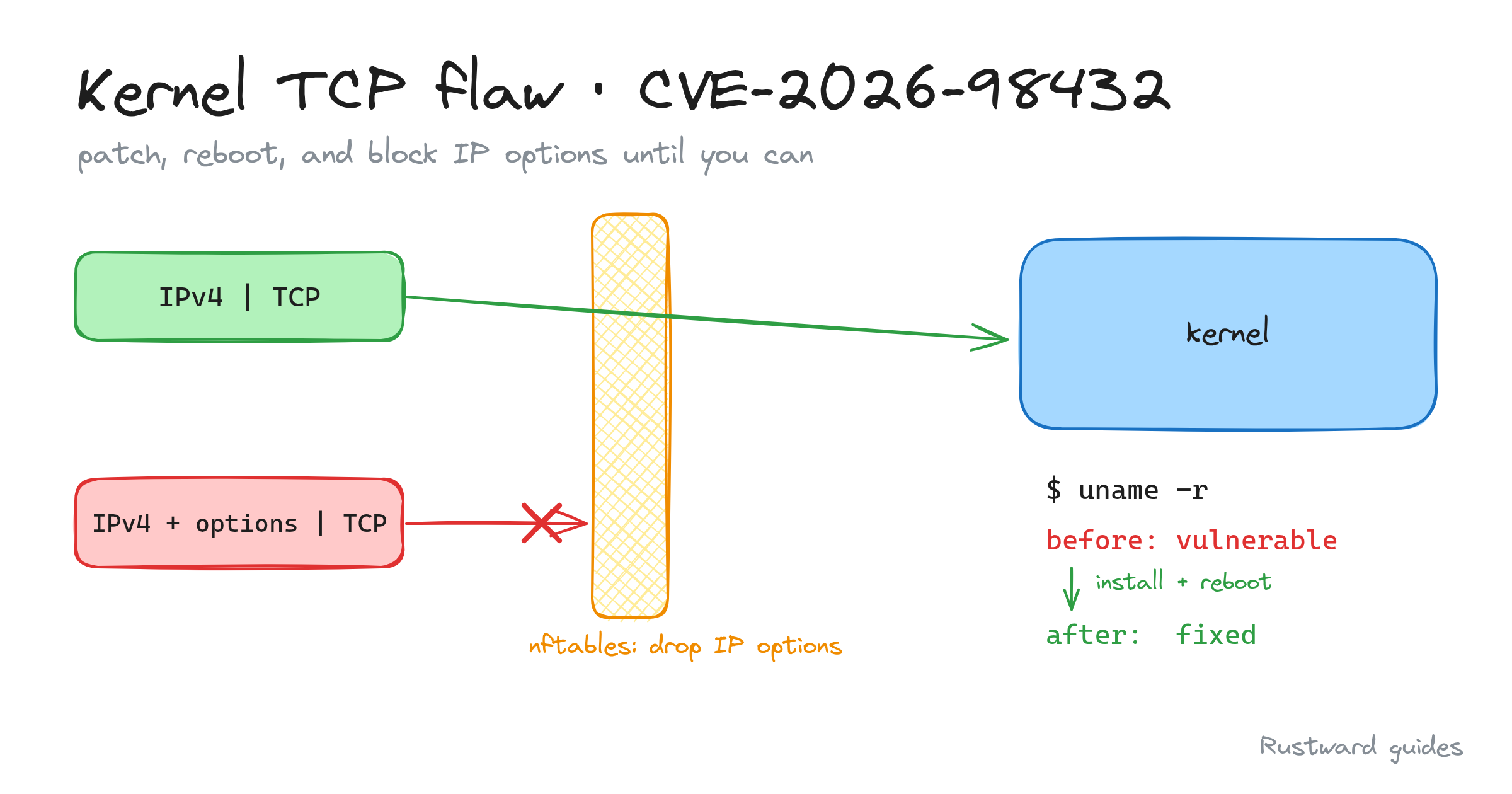
CVE-2026-98432 is a use-after-free bug in the Linux kernel’s IPv4 TCP code, in the part that sets up incoming connections. It was made public on 30 October 2026, and it’s rated critical (CVSS 9.8), because an attacker could trigger it remotely, without logging in, just by sending crafted TCP packets. The bug has been in the kernel since version 4.4, so nearly every Linux server is affected until it’s patched.
Pulling it off takes precise timing, which is why Red Hat scores it lower itself. We don’t think that’s a reason to wait. In this guide we’ll check our kernel, install the fix, and put a temporary block in place if a fix isn’t out for our release yet.
A reboot is part of the fix
Installing a fixed kernel does nothing until the server boots into it. This is the step people most often miss.
See which kernel we’re running#
uname -r
6.8.0-45-generic
We’ll compare this against our distribution’s tracker in the next step. We use the version from uname -r, not the newest kernel package installed. They’re often different, and uname -r is the one that’s actually running.
Check whether our release has a fix#
Distributions released fixes at different times, and the status changes daily, so we check the source rather than trusting a list in an article:
| Distribution | Status page |
|---|---|
| Ubuntu | ubuntu.com/security/CVE-2026-98432 |
| Debian | security-tracker.debian.org/tracker/CVE-2026-98432 |
| AlmaLinux and Rocky | Red Hat’s bulletin RHSB-2026-016, then each distro’s errata |
When we wrote this, Debian had fixed kernels out for Debian 12 and 13, while some Ubuntu and Red Hat-based releases were still waiting. If our release shows as fixed, we go to step 3. If not, we skip to step 4.
Install the fixed kernel and reboot#
sudo apt update
sudo apt full-upgrade
sudo reboot
We use full-upgrade because a new kernel usually comes as a new package, and apt-get upgrade holds those back.
sudo dnf upgrade --refresh 'kernel*'
sudo reboot
Once the server is back, we check that the version has changed and matches the fixed version on the tracker:
uname -r
6.8.0-51-generic
Take a snapshot first
A kernel update rarely goes wrong, but if the server doesn’t come back up, a snapshot gets us back to where we were in one step.
No fix yet? Block the attack#
The attack relies on IPv4 TCP packets that carry IP options, an old feature normal traffic almost never uses. Red Hat’s bulletin suggests dropping those packets until a fix is installed. It reduces the risk a lot, though Red Hat is clear that it can’t rule the attack out completely.
We put the rule in a table of its own, so it doesn’t touch any firewall rules we already have:
table inet cve_2026_98432 {
	chain input {
		type filter hook input priority -310; policy accept;
		ip protocol tcp ip hdrlength > 5 counter drop
	}
}
ip hdrlength > 5 matches packets whose IP header is longer than the basic 20 bytes, which only happens when it carries options. Then we load it and check it’s in place:
On Ubuntu and Debian, we install nftables first if nft is missing:
sudo apt install nftables
sudo nft --check --file /etc/cve-2026-98432.nft
sudo nft --file /etc/cve-2026-98432.nft
sudo nft list table inet cve_2026_98432
table inet cve_2026_98432 {
	chain input {
		type filter hook input priority -310; policy accept;
		ip protocol tcp ip hdrlength > 5 counter packets 0 bytes 0 drop
	}
}
The counter shows how many packets the rule has dropped so far.
Might we reboot before a fix comes out? Keep the block after a reboot
Rules loaded with nft are gone after a reboot. To load the file at boot, we add a small service:
[Unit]
Description=Block IPv4 TCP packets with IP options (CVE-2026-98432)
After=network-pre.target

[Service]
Type=oneshot
ExecStart=/usr/sbin/nft --file /etc/cve-2026-98432.nft
ExecStop=/usr/sbin/nft delete table inet cve_2026_98432
RemainAfterExit=yes

[Install]
WantedBy=multi-user.target
sudo systemctl daemon-reload
sudo systemctl enable cve-2026-98432.serviceWe don’t use /etc/nftables.conf for this. On Debian and Ubuntu that file starts by clearing every rule, which would wipe out rules that ufw or Docker added.
Remove the block once we’re patched#
After rebooting into a fixed kernel, we take the rule out. The first line is only needed if we added the service:
sudo systemctl disable --now cve-2026-98432.service
sudo nft delete table inet cve_2026_98432
Next steps#
- Keep a server patched automatically, including the reboot, so the next kernel fix goes in on its own.
- Find out whether a CVE affects your server for a method that works for any CVE.
Sources: Red Hat RHSB-2026-016, Sophos, Bitsight, TuxCare.