Find out whether a CVE affects your server
Read your distribution's security tracker, check installed package versions, and understand why a patched package can look out of date.
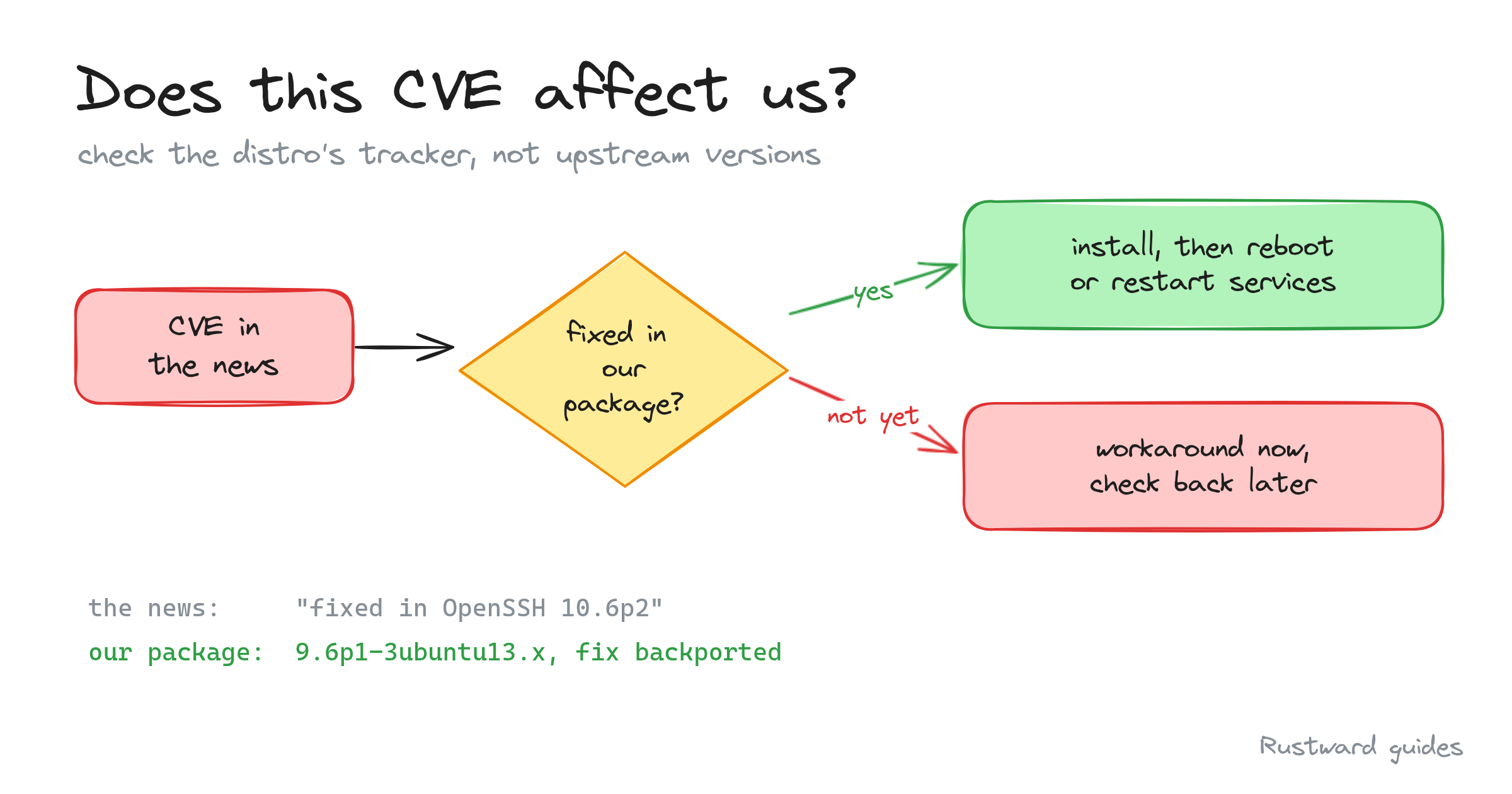
Every few weeks a vulnerability with a scary name does the rounds, and the same question comes up: is my server affected? News articles talk about upstream version numbers, like “OpenSSH before 10.6p2”, but that’s rarely the right thing to compare against. In this guide we’ll check a CVE the way that actually gives a reliable answer.
Why the version number can mislead us#
Distributions like Ubuntu, Debian, AlmaLinux and Rocky Linux keep the same version of a package for the life of a release. When a security bug is found, they backport the fix: they copy just that fix into their older version and release it with a new package revision.
So a fully patched Ubuntu 24.04 server can report an OpenSSH version that’s older than the one the news says is fixed. That’s normal. What matters is whether our distribution’s package includes the fix, and the distribution’s own tracker is the place to find out.
Find out what we’re running#
Which distribution and release, and the kernel that’s running right now:
grep PRETTY_NAME /etc/os-release
PRETTY_NAME="Ubuntu 24.04.1 LTS"
uname -r
6.8.0-51-generic
Then the version of the package in question. For example, OpenSSH:
dpkg-query -W openssh-server
openssh-server	1:9.6p1-3ubuntu13.5
rpm -q openssh-server
openssh-server-8.7p1-43.el9.x86_64Look the CVE up in the distribution’s tracker#
Each distribution has a page per CVE that lists every release and whether it’s fixed, and in which package version:
| Distribution | Where to look |
|---|---|
| Ubuntu | https://ubuntu.com/security/CVE-2026-12345 |
| Debian | https://security-tracker.debian.org/tracker/CVE-2026-12345 |
| AlmaLinux | errata.almalinux.org, which follows Red Hat’s access.redhat.com/security/cve/… |
| Rocky Linux | errata.rockylinux.org, which also follows Red Hat |
We swap in the real CVE number. The page will say one of a few things:
- Not affected: the bug isn’t in this release’s code, or the feature isn’t built in.
- Fixed in a version: if ours is that version or newer, we’re covered.
- Needed, vulnerable or pending: no fix yet. We’ll look for a workaround in the advisory, and come back later.
Ask the package manager#
The package manager can also tell us directly, without a browser.
Ubuntu’s pro tool checks a CVE against the server and installs the fix if there is one. It works without an Ubuntu Pro subscription for packages in the main archive:
sudo pro fix CVE-2026-12345The package changelog lists the CVEs each version fixed:
zgrep CVE-2026-12345 /usr/share/doc/openssh-server/changelog.Debian.gzNo output means the installed version doesn’t mention it. Then we check the tracker to see if a fix exists yet.
dnf knows which updates fix which CVEs:
Updates that fix it, if they aren’t installed yet:
sudo dnf updateinfo list --cve CVE-2026-12345And whether the installed package already mentions it:
rpm -q --changelog openssh-server | grep CVE-2026-12345To install every pending security fix at once:
sudo dnf upgrade --securityMake sure the fix is actually running#
Installing a fix isn’t always the end:
- Kernel fixes need a reboot. After rebooting,
uname -rshould show the new version. - Library fixes (OpenSSL, glibc) need the programs using them to restart.
sudo needrestart -r lon Ubuntu and Debian, orsudo needs-restarting -son AlmaLinux and Rocky, lists them. - Services like
sshdkeep running the old binary until they restart. A reboot covers everything at once.
Is it reachable at all?#
A bug in something we’re not running, or something that isn’t open to the internet, is much less urgent. sudo ss -tulpn shows what’s listening. Our guide on auditing what your server exposes goes through it.
Next steps#
- Keep a server patched automatically, so most CVEs are fixed before we’ve read about them.